- Feb 15, 2025
How to change your email or password
- Healing Wisdom
- Support Guides
Here's how to change the email or password associated with your Student Portal account.
Step 1: Log in to your account at portal.healingwisdom.com/login.
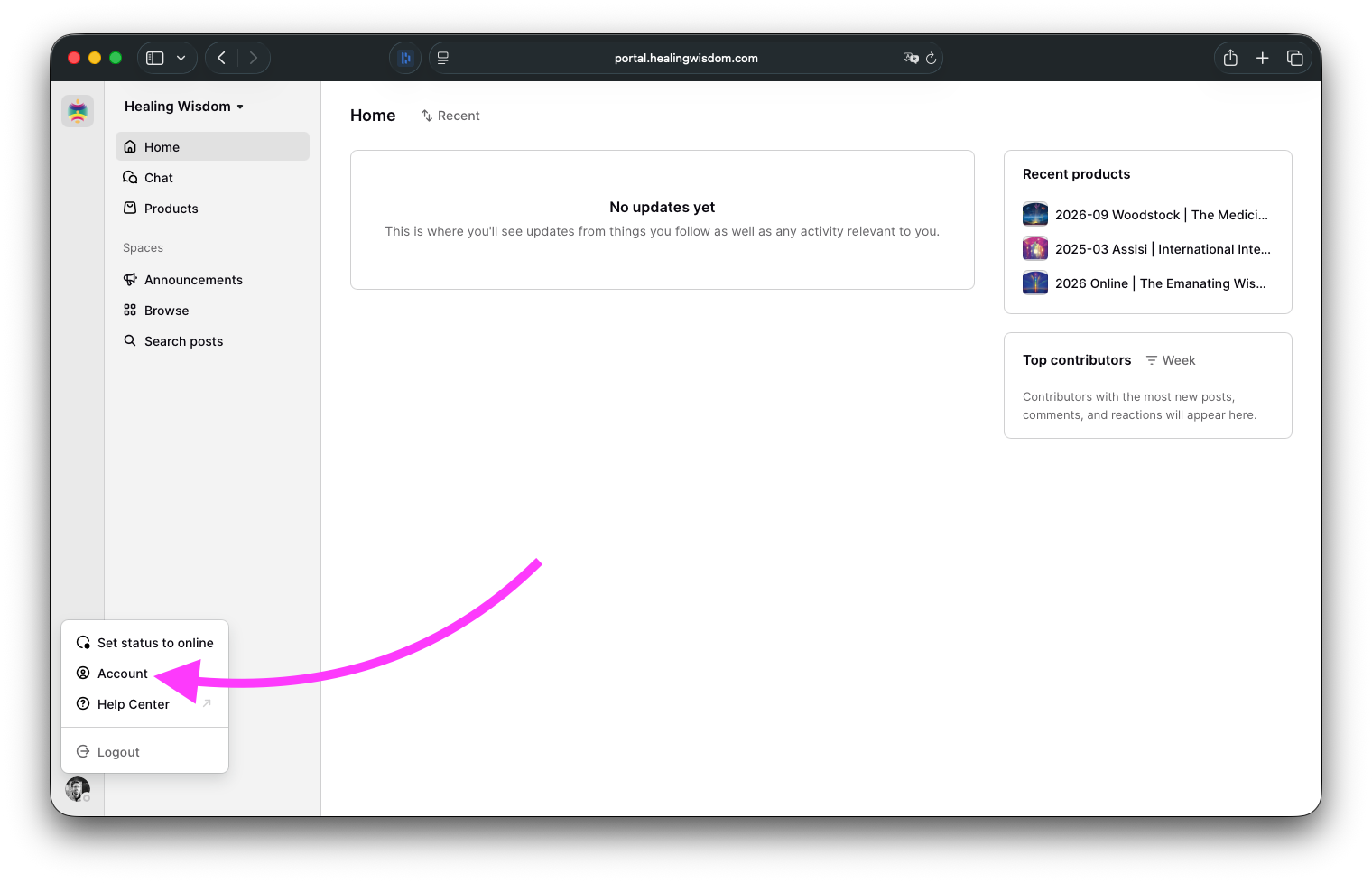
Step 2: After you've logged in, click on your profile picture at the bottom left and select Account.
Changing your email address
Click on Edit next to Email.
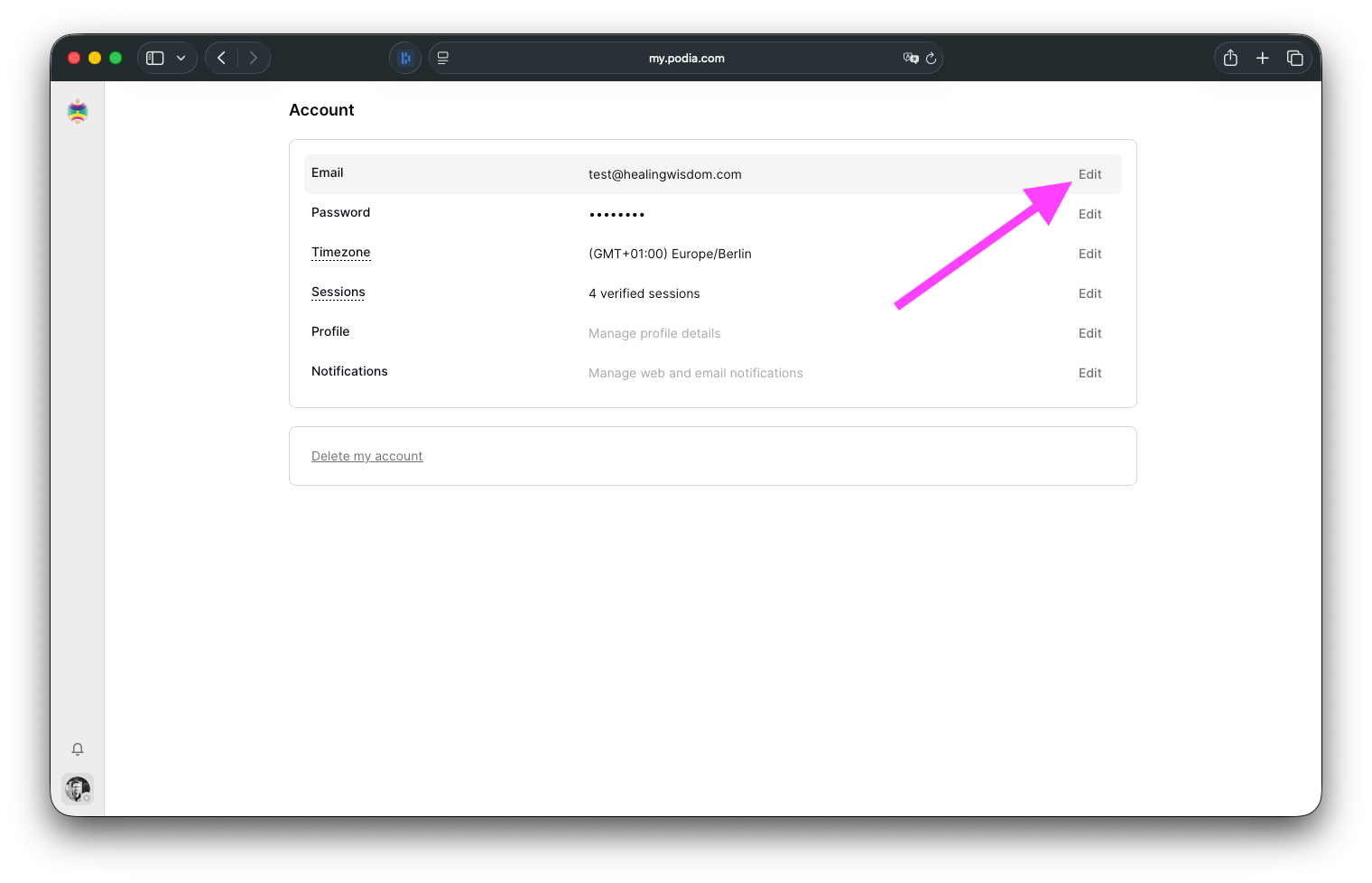
Update the field with the email address you'd like to use and hit Save to save your changes.ㅤ
Changing your password
Click on Edit next to Password.
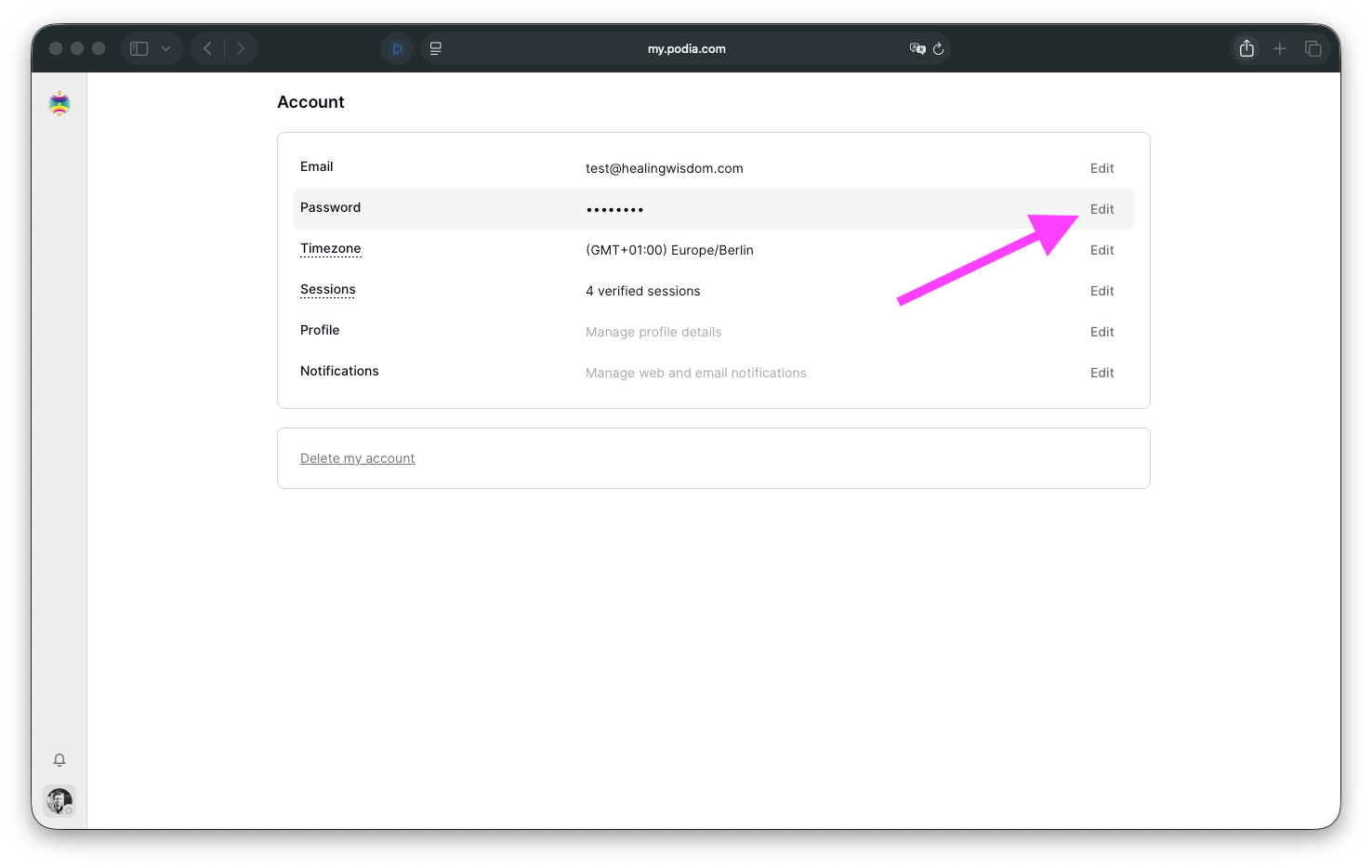
Enter your current password and the new password you want to use for your account.
Hit Save to save your changes.
If you have any questions, you can reach us at portal@healingwisdom.com.