- Jul 8
How to download an invoice from a product you have purchased
- Healing Wisdom
- Support Guides
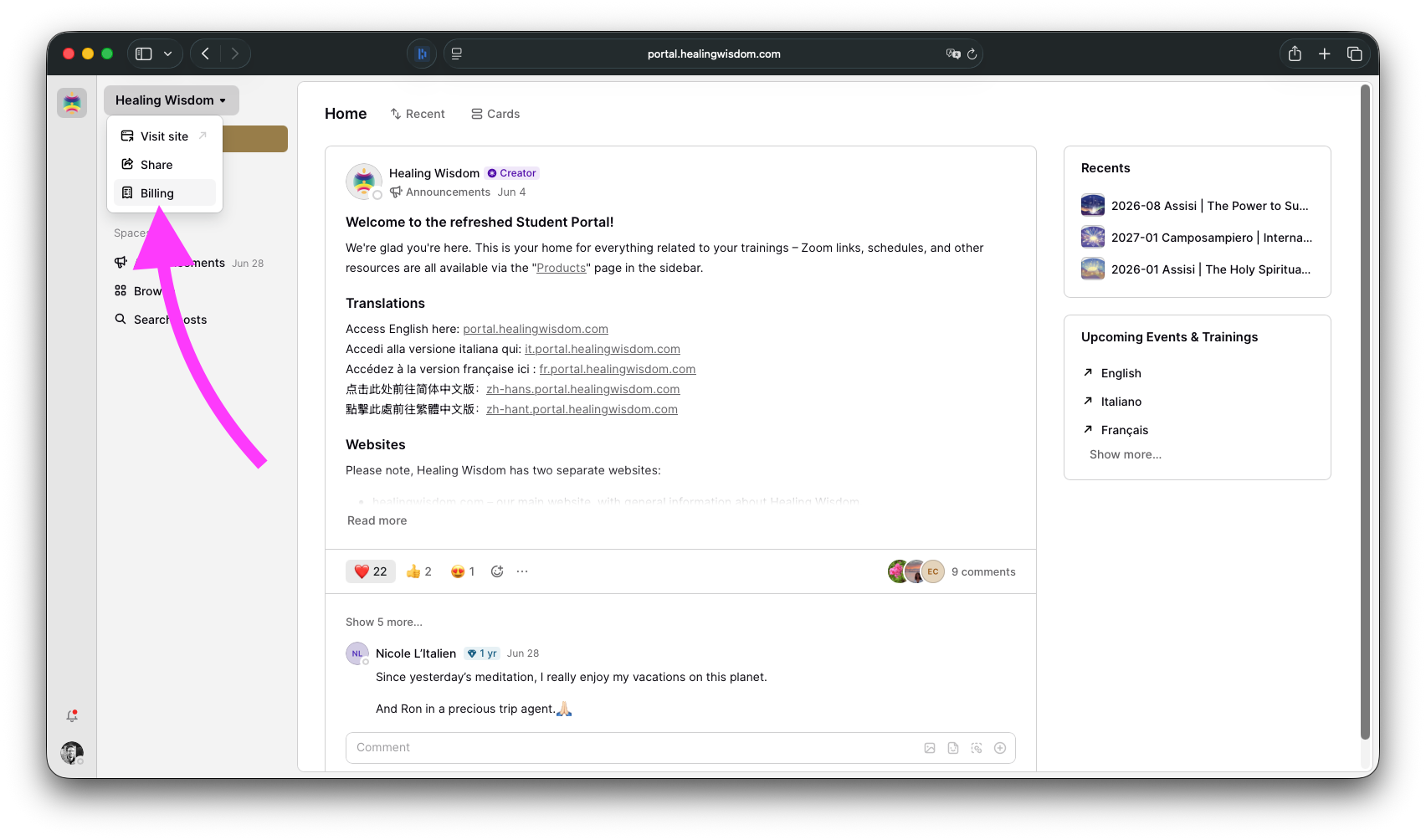
First, log into your Student Portal account. After you've logged in, click on "Healing Wisdom" at the top of the left sidebar and select "Billing".
Then, click on PDF next to the invoice you’d like to download.
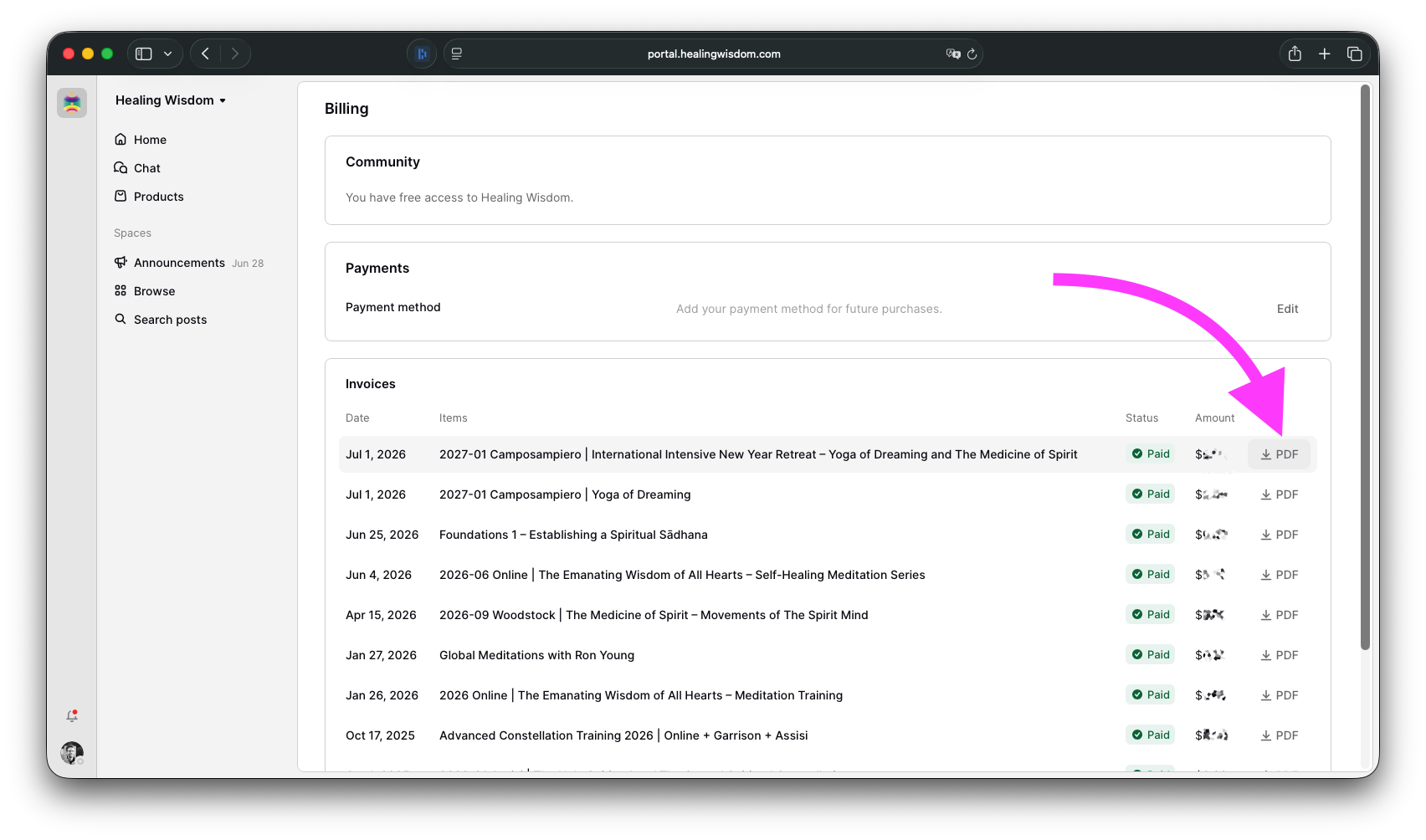
That's it! We will generate a PDF file you can download directly to your device.